

Download Spotify Music – Music Streaming, Podcasts, Audiobooks, Offline Listening
Overview
Spotify Music is a multimedia streaming application designed to deliver access to millions of songs, podcasts, audiobooks, and spoken-word content across a wide range of devices. The software enables users to explore curated playlists, discover new music through personalized algorithms, and maintain a continuous listening experience across platforms. It is particularly well-suited for music enthusiasts, casual listeners, and individuals seeking a dynamic audio experience on the go or at home.
Spotify addresses common challenges such as content discovery, playlist management, and cross-device continuity. Its recommendation engine learns from user behavior to generate tailored playlists like Discover Weekly and Daily Mixes, helping users find new artists and tracks aligned with their tastes. The app also supports social sharing, allowing users to send snippets of lyrics or share custom playlists via messaging or social media.
Real-world usage includes background listening during work or exercise, commuting with curated playlists, and sharing music with friends through collaborative features like Spotify Blend and Spotify Jam. The application supports both online streaming and offline playback, though the latter requires a Premium subscription. The developer did not provide additional system requirements beyond platform availability.
Key Features & Capabilities
- Music and Podcast Streaming – Access to millions of songs and thousands of podcasts across genres and languages, with continuous updates to the catalog.
- Personalized Discovery Tools – Algorithms generate custom playlists such as Discover Weekly and Daily Mixes based on listening history and preferences.
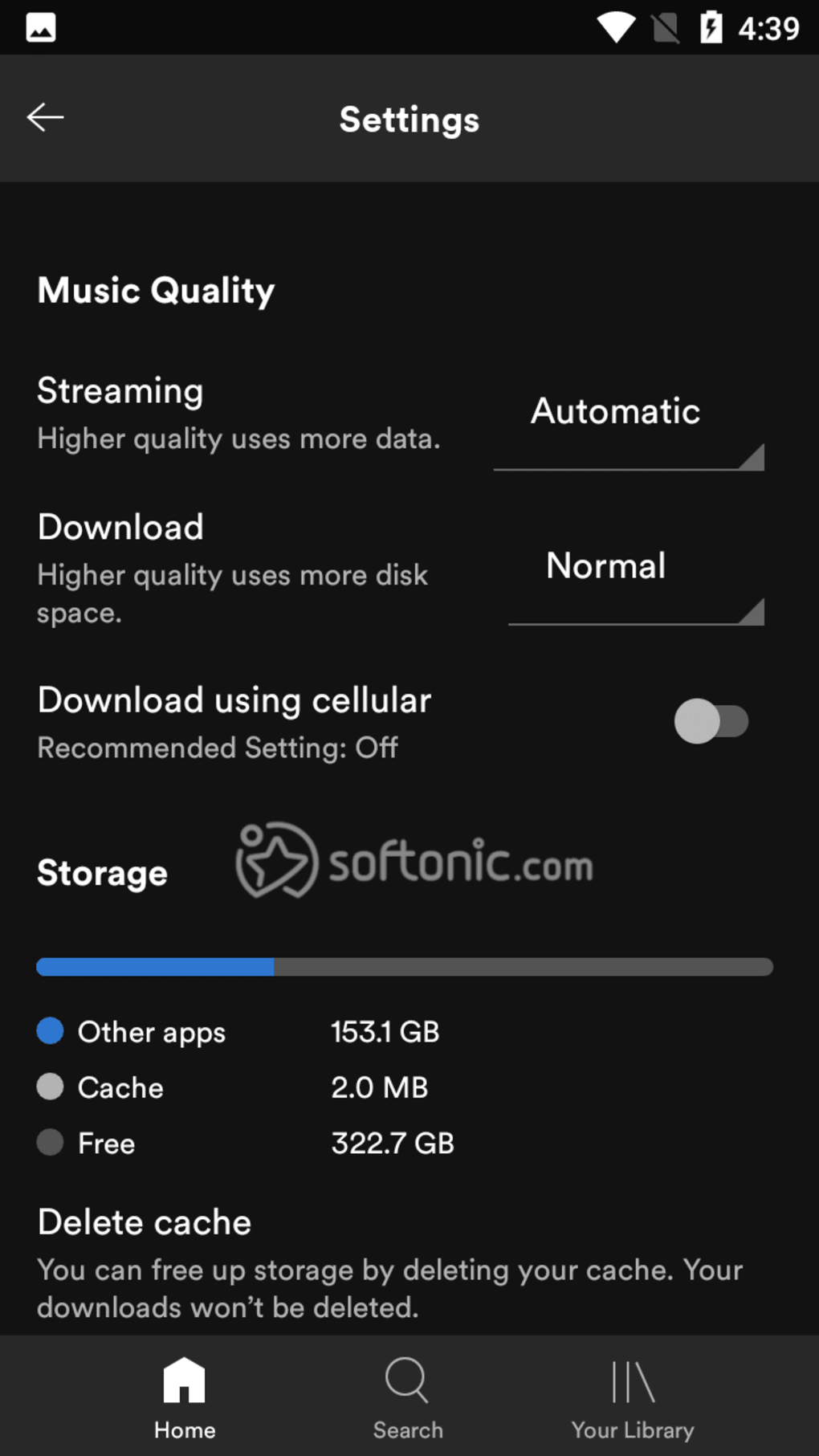
- Offline Listening – Premium users can download tracks for offline playback, ideal for travel or areas with limited connectivity.
- Collaborative Playlists and Spotify Blend – Users can create shared playlists that evolve based on the listening habits of multiple participants.
- Spotify Jam – A real-time listening party feature that allows friends to join a live session and contribute to a shared playlist.
- Lyrics Display and Sharing – Real-time lyrics appear during playback, with the ability to share up to five lines via social platforms or text.
- Artist Radio and Genre-Based Stations – Automatically plays songs in the style of favorite artists or genres, supporting continuous discovery.
- Spotify Wrapped – An annual feature that summarizes user listening habits into a shareable, personalized recap, available to Premium subscribers.
These features enhance user engagement by combining personalization with social interaction. For example, users can seamlessly transition from a work playlist to a commute mix without interruption. The TikTok-inspired feed design improves content discovery by presenting vertical, scrollable recommendations that adapt to user behavior. While some features like Smart Shuffle are limited to Premium users, others are available to all.
User Interface, Workflow & Performance
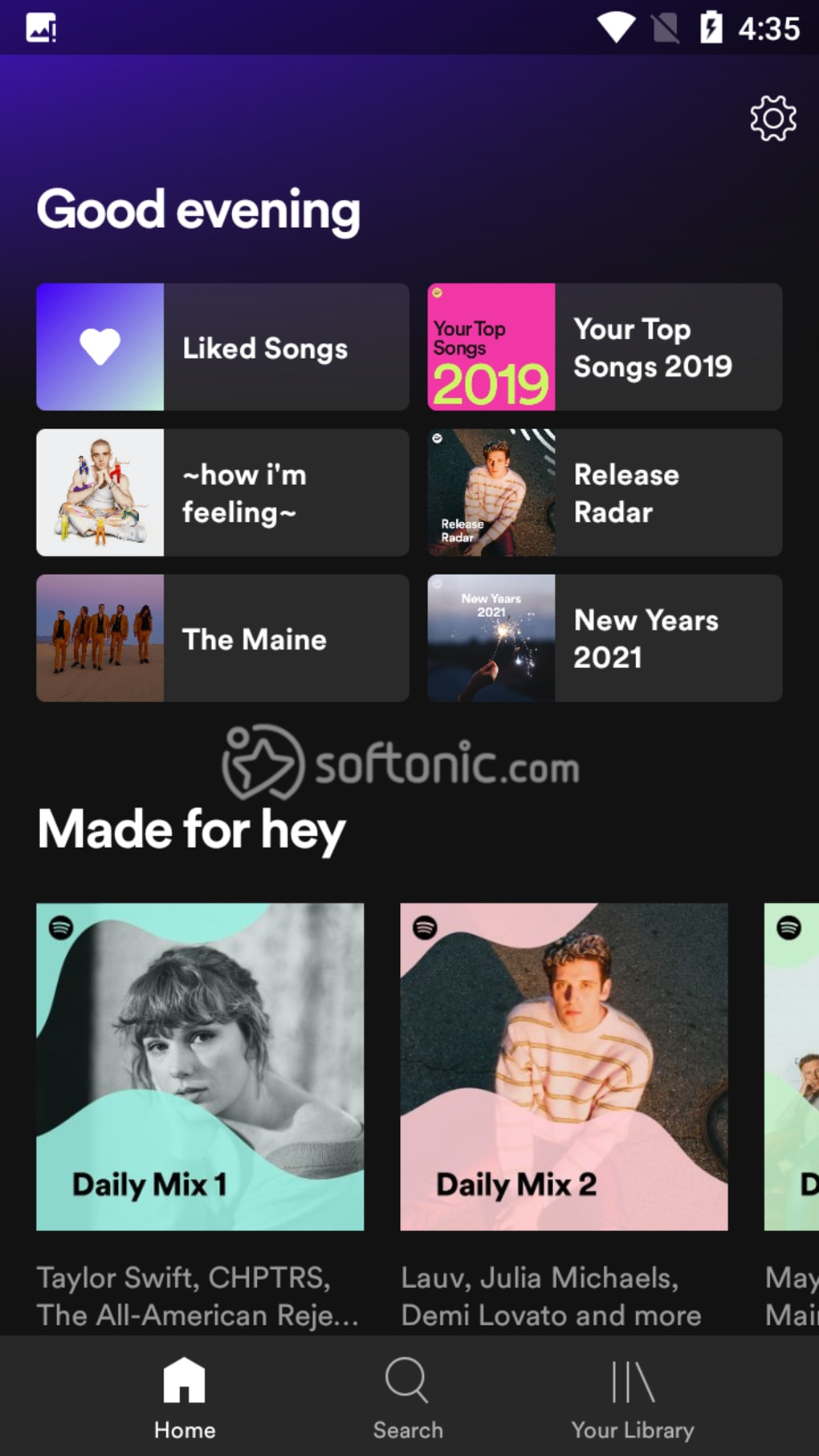
The user interface of Spotify Music is built around a dark-themed layout with high-contrast text, promoting readability and visual focus on content. The home screen dynamically displays recently played items, recommended playlists, new releases, and editorial picks based on seasonal trends or popularity. A bottom bar shows the currently playing track, with controls for playback, skipping, and volume adjustment.
Navigating the app is intuitive, with clearly labeled tabs for Home, Search, Your Library, and Premium features. The layout supports vertical scrolling through content feeds, including podcast recommendations and playlist videos known as "video canvases." Users can listen to music while browsing these feeds, with automatic audio muting when scrolling to avoid overlap.
Performance observations are based on general software behavior patterns. The app maintains responsiveness during playback and navigation, though exact resource usage details were not specified. Stability appears consistent across supported platforms, with updates regularly released to address bugs and improve functionality. The developer did not provide additional system requirements or performance benchmarks.
Compatibility & System Requirements
Spotify Music is available for multiple operating systems, including Windows, macOS, Android, and iOS. The software supports both desktop and mobile environments, allowing users to access their libraries and playlists across devices. Installation size varies by platform but is generally optimized for efficient storage usage.
Exact system requirements were not listed. Compatibility information is limited to platform availability. The app functions on devices with standard internet connectivity and modern web browsers or native app support. Users are advised to ensure their device meets the minimum OS version required by the platform’s app store, such as Android 4.1 or higher for mobile devices.
Pros and Cons
Pros
- Extensive library of music, podcasts, and audiobooks
- Powerful personalization through AI-driven recommendations
- Seamless cross-device synchronization
- Free version with robust access to core features
- Supports offline listening with Premium subscription
- Intuitive interface with real-time lyrics and sharing options
- Unique social features like Spotify Jam and Blend
Cons
- Free version includes unskippable ads between tracks
- Offline downloads and unlimited skips require Premium
- Some advanced features are exclusive to paid users
- Performance may vary on older or low-spec devices
- Limited customization in free tier
- Requires consistent internet connection for full functionality
FAQ Section
Is Spotify available for free?
Yes, Spotify offers a free version that provides access to millions of songs, podcasts, and audiobooks. The free tier includes ads and limited skip functionality.
Can I download music for offline listening?
Offline listening is available only to Spotify Premium subscribers. Users must download tracks while connected to the internet.
What devices support Spotify?
Spotify is compatible with Windows, macOS, Android, iOS, and select smart TVs and streaming devices. The developer did not specify additional hardware compatibility.
Is Spotify safe to download?
Yes, Spotify is a secure application when downloaded from official sources such as the Microsoft Store, Apple App Store, Google Play, or the official website.
How often does Spotify update?
Spotify releases regular updates to improve performance, fix bugs, and introduce new features. Users are encouraged to keep the app updated to the latest version.
Final Thoughts
Spotify Music stands out as a leading audio streaming platform due to its expansive content library, intelligent discovery tools, and seamless user experience. Its blend of personalization, social features, and cross-device functionality makes it ideal for both casual listeners and dedicated music fans. While the free version offers strong value, the Premium tier unlocks essential benefits like ad-free listening, offline playback, and advanced features such as Spotify Wrapped and Jam.
For users seeking a reliable, feature-rich desktop and mobile application to stream music, podcasts, and audiobooks, Spotify delivers a comprehensive solution. The combination of intuitive design, continuous innovation, and broad compatibility ensures long-term usability across platforms.
Download Spotify Music now






.png)
